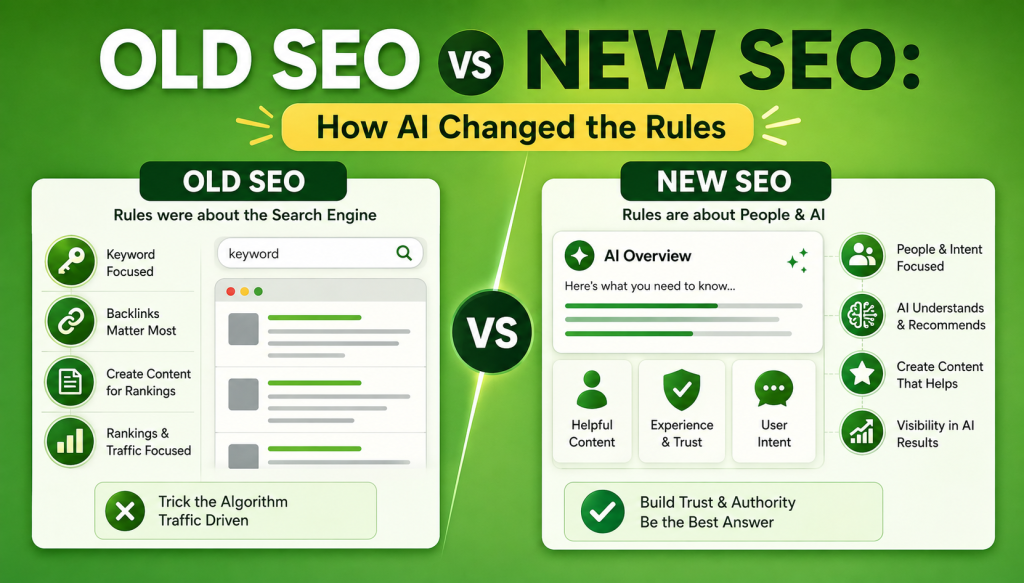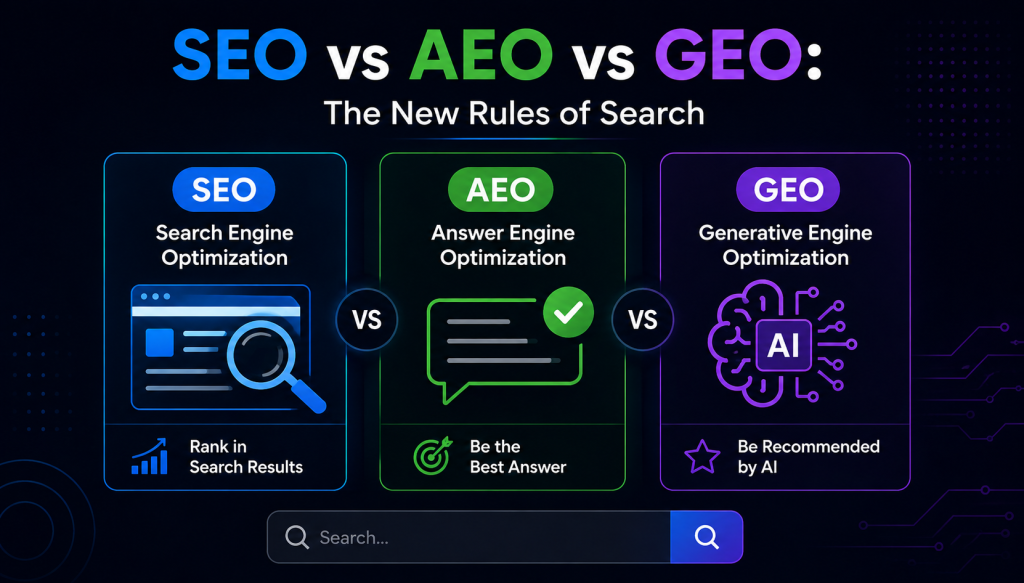
Schema markup is code you add to a page to tell search engines exactly what your content is, in a language they understand. A price is labeled as a price, a review as a review, an event date as an event date. Do this well and Google can show richer results with stars, prices, and images, which pull more clicks. This beginner friendly guide explains what schema markup is, why it matters, the common types, and how to add and test it, with no coding background assumed.
What Is Schema Markup?
Search engines read your page, but they don’t always understand it the way a person does. They see the text “4.8” and can’t be sure if it’s a rating, a price, or a shoe size. Schema markup removes that guesswork. It’s a standard set of tags, agreed across the major search engines, that labels each piece of content so a machine knows precisely what it’s looking at. Once Google understands your content clearly, it can present it more richly and match it to the right searches.
Structured Data, Schema, and JSON-LD: The Difference
These three terms get used interchangeably, but they aren’t the same thing.
- Structured data is the general idea of organizing and labeling content for machines.
- Schema.org is the shared vocabulary, the actual list of types and properties, that the search engines agreed to use.
- JSON-LD is the recommended format for writing it. It’s a small script you drop into the page, kept separate from your visible HTML, which makes it easy to add and maintain.
In short: structured data is the concept, schema.org is the dictionary, and JSON-LD is how you write it down. Google recommends JSON-LD for almost every case.
Why Schema Markup Matters for SEO
Here’s the honest version. Schema markup is not a direct ranking factor. Google has said so plainly. What it does is unlock rich results, the enhanced listings with star ratings, prices, images, FAQs, breadcrumbs, and more. Those richer listings stand out and tend to earn more clicks, and a higher click through rate is a healthy signal that can lift rankings over time.
There’s a second reason it matters more every year. AI search and answer engines lean on structured data to understand and trust a page. Clean schema makes your content easier for these systems to parse and cite. If you want to be pulled into AI answers, see our guide on optimizing for Google AI Overviews, where structured content plays a real part.
Common Types of Schema Markup
Use the most specific type that fits your content. These are the ones most sites need.
| Schema type | Use it for |
|---|---|
| Article | Blog posts and news articles |
| Product | Ecommerce products with price and stock |
| LocalBusiness | Business name, address, hours |
| Review and AggregateRating | Star ratings on products or services |
| FAQPage | Question and answer sections |
| BreadcrumbList | Navigation path in search results |
| Event, Recipe, Video, JobPosting | Their matching content types |
One note on FAQ schema. Google now limits FAQ rich results to a narrow set of authoritative sites, so most pages won’t see the FAQ dropdown they once did. The markup still helps machines understand the page, but don’t add it expecting the rich result.
How to Choose the Right Schema Type
Beginners often freeze here, so keep it simple. Pick the single type that most specifically describes the page, then add supporting types only if they genuinely apply. A quick way to decide:
- It’s a blog post or article use Article.
- It’s a product you sell use Product with Offer for price and stock.
- It’s your business or a location page use LocalBusiness.
- It has genuine customer ratings add Review or AggregateRating.
- It’s a recipe, event, job, or video use the matching type.
Almost every site should also add Organization and BreadcrumbList sitewide. When in doubt, choose the most specific type that’s true for the page, and never add markup for something the page doesn’t actually contain.
How to Add Schema Markup
You have three routes, from easiest to most technical.
1. A plugin. On WordPress, SEO plugins like Yoast or Rank Math add core schema automatically, and dedicated schema plugins handle the rest. This suits most site owners and needs no code.
2. A generator. Free JSON-LD generators let you fill in a form, then paste the output into the page head. Good for one off pages.
3. By hand. Write the JSON-LD yourself and place it in the page. This gives the most control and is how a developer or technical SEO would do it at scale.
Whichever route you take, the steps are the same: pick the most specific type, add the required properties, add the useful recommended ones, then test before you rely on it.
How to Test Your Schema Markup
Never assume it works. Always validate.
- Rich Results Test. Google’s tool shows whether your page is eligible for rich results and flags errors.
- Schema Markup Validator. Checks your structured data against the schema.org standard.
- Search Console. The Enhancements reports show how your live schema is performing and any errors Google found across the site.
Schema Markup Mistakes to Avoid
- Marking up content that isn’t on the page. The schema must match what the user actually sees, or it can be ignored or penalized.
- Fake or inflated reviews. Review markup with ratings you didn’t earn is against the guidelines.
- Using a vague type. Pick the most specific type that fits, not a broad catch all.
- Adding it and never testing. A single syntax error can stop the whole block working.
- Leaving errors in Search Console unfixed. They quietly cost you rich results.
Frequently Asked Questions
What is schema markup in simple terms?
Schema markup is code that labels your content so search engines understand exactly what it is, such as a price, a review, or an event date. That clear labeling lets Google show richer, more eye catching results and helps AI search understand your page.
Does schema markup improve rankings?
Not directly. Google has confirmed structured data is not a ranking factor on its own. It helps indirectly by enabling rich results, which raise your click through rate, and a higher click through rate can support rankings over time.
What format should I use for schema markup?
JSON-LD. Google recommends it because it’s easy to add and maintain, and it sits in a separate script rather than being woven through your HTML. The older Microdata and RDFa formats still work, but JSON-LD is the standard choice now.
Do I need to know how to code to add schema?
No. On WordPress, SEO plugins like Yoast or Rank Math add core schema for you, and JSON-LD generators handle one off pages through a simple form. Coding by hand gives more control but isn’t required for most sites.
Does FAQ schema still show rich results?
Mostly no. Google now limits FAQ rich results to a small set of authoritative sites, so most pages won’t see the FAQ dropdown. The markup can still help machines understand the page, but don’t add it expecting the visual rich result.
How do I test if my schema is working?
Use Google’s Rich Results Test to check eligibility, the Schema Markup Validator to check it against the standard, and the Enhancements reports in Search Console to monitor live performance and errors.
Schema markup is one of the higher leverage things you can add to a site: modest effort, and it makes your content clearer to both search engines and AI. Start with the types that fit your pages, add them cleanly, and test everything. If you’d rather have it implemented properly across the site, our technical SEO services team handles structured data as part of a full technical setup.