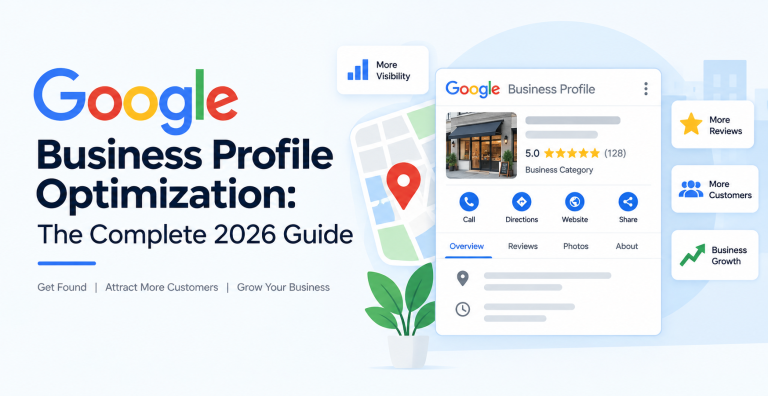
Your Google Business Profile is the single most important asset in local search. It is the listing that decides whether you show up in the map results and the local pack when someone nearby searches for what you sell. A complete, well managed profile can outrank competitors with bigger websites, while a half finished one stays invisible no matter how good your business is. This guide covers Google Business Profile optimization from claiming your listing to ranking in the local pack, with every step laid out in order so nothing is left to guesswork.
What Is a Google Business Profile and Where It Shows
A Google Business Profile, formerly known as Google My Business, is the free listing that represents your business on Google Search and Google Maps. It holds your name, address, phone number, hours, photos, reviews, and more. When someone searches for a local service, Google shows a map with the top three profiles beneath it. That box is called the local pack, and appearing in it is the goal of everything below.
How Google Ranks Local Businesses
Google decides local rankings using three main ingredients, and understanding them tells you where to focus.
Relevance is how well your profile matches the search. This is driven by your categories, your business name, and the information you fill in.
Distance is how close your business is to the searcher. You cannot change your location, but a complete profile helps Google trust and show you across a wider area.
Prominence is how well known and trusted your business is, shaped heavily by the quantity and quality of your reviews, plus mentions of your business across the web. Profile signals make up roughly a third of local pack ranking weight, and reviews alone account for about a fifth, so these are the levers that move the needle most.
Step 1: Claim and Verify Your Profile
You cannot optimize a profile you do not control. Search for your business on Google. If a profile already exists, claim it. If not, create one at the Google Business Profile site. Google will then ask you to verify ownership, usually by video, phone, email, or postcard. Complete verification before anything else, because an unverified profile cannot rank or be edited fully.
Step 2: Choose the Right Categories (Your Biggest Lever)
Your primary category is the strongest relevance signal on the entire profile, so treat this step as the most important one.
Set an accurate primary category. Pick the one that describes your core business most precisely, for example “Emergency plumber” rather than the vague “Plumber” if that is what you are. The primary category tells Google which searches to show you for.
Add relevant secondary categories. These cover the other services you offer. Add every one that genuinely applies, but do not add categories for services you do not provide.
Copy what winners use. Look at the three businesses already ranking in the local pack for your main search. A profile inspection browser extension can reveal the exact categories they use, which is a fast way to spot a category you are missing.
Step 3: Get Your Name, Hours, and Core Info Right
Business Name
Use your real business name exactly as it appears in the real world. Keywords in the business name do influence rankings, but stuffing extra words you do not legally trade under violates Google’s guidelines and can get your profile suspended. If your real name happens to include a keyword, that is a genuine advantage, but do not invent one.
Hours of Operation
Set accurate opening hours and keep them current, including special hours for holidays. Google now checks whether you are open at the moment someone searches and favors open businesses, so accurate hours have become a real ranking factor as well as a trust signal. Wrong hours frustrate customers and cost you visits.
Name, Address, and Phone
Enter your name, address, and phone number carefully. This trio, often called your NAP, must be exact, because Google cross checks it against other listings of your business across the web. A local phone number is preferred over a call center number. If you serve customers at their location rather than yours, set a service area instead of a public address.
Step 4: Complete Every Field
Google rewards complete profiles, and completeness is one of the top ranking factors. Fill in everything.
Write a clear business description that explains what you do, who you serve, and what makes you different, working in your main services naturally. List your individual services, and for each one add a short description. If you sell products, add them with photos and prices. Turn on the attributes that apply, such as “wheelchair accessible”, “free wifi”, or “women owned”. Add your website link, and if relevant, booking and appointment links. Every field you complete gives Google another reason to show you.
Step 5: Add Photos and Videos
Profiles with photos receive far more clicks, direction requests, and calls than those without. Add a recognizable logo and a strong cover image, then upload real photos of your storefront, your team, your work, and your products. Fresh, genuine images beat stock photography, and adding new photos regularly signals to Google that the business is active. Short videos help too. Aim to keep a steady stream rather than uploading everything once and stopping.
Step 6: Build and Manage Reviews
Reviews are the most influential prominence signal in local search, and their weight keeps rising. A business with two hundred reviews averaging 4.7 stars will almost always outrank a competitor with thirty reviews averaging a perfect 5.0. Volume, recency, and your responses all matter.
Ask consistently. Make requesting a review part of your routine after every completed job or purchase. A simple link sent by text or email works well. A steady flow of new reviews signals an active, trusted business, and a burst of positive reviews can lift your position within a few weeks.
Respond to every review. Reply to positive reviews with thanks, and to negative ones calmly and professionally with a path to resolve the issue. Responses show both Google and future customers that you are engaged, and they often turn an unhappy reviewer around.
Never buy fake reviews. Fake reviews violate Google’s policies, are increasingly easy to detect, and can get your profile penalized or removed. Earn them honestly.
Step 7: Post Regularly with Google Posts
Google Posts let you publish updates, offers, events, and news directly on your profile, where they appear to people viewing your listing. Posting regularly keeps your profile fresh and active, which supports rankings and gives searchers a reason to choose you. Share promotions, new services, seasonal news, and helpful tips. Each post can include an image and a call to action button.
Step 8: Use the Questions and Answers Section
Your profile has a public questions and answers area that anyone can post to, including potential customers. Seed it yourself by adding the questions you hear most often, along with clear answers. Monitor it so you can respond quickly to new questions, since an unanswered question, or worse a wrong answer from a stranger, can cost you a customer.
Step 9: Keep Your NAP Consistent Across the Web
Google builds trust in your business by seeing the same name, address, and phone number listed consistently across the web. These mentions, called citations, appear in directories, review sites, and social profiles. Make sure your details match your Google Business Profile exactly everywhere they appear, and fix any old listings with outdated addresses or phone numbers. Consistent citations reinforce your prominence, while conflicting ones confuse Google. This groundwork is a core part of any local SEO program.
Step 10: Track Your Performance
Your profile includes a performance section that shows how people find and interact with your listing, including searches, views, calls, direction requests, and website clicks. Review it monthly. Rising calls and direction requests mean your optimization is working. If a metric drops, it points you to what needs attention, such as photos, posts, or reviews.
Common Mistakes and Suspension Risks
A few errors can undo all your work, and some can get your profile suspended. Avoid these:
- Keyword stuffing the business name. Using a name you do not really trade under risks suspension.
- A fake or virtual address. Listing an address where you do not actually operate is against the rules.
- Inaccurate categories. Choosing categories for services you do not offer misleads Google and customers.
- Ignoring reviews. A profile with no recent reviews and no responses looks inactive.
- Inconsistent NAP. Different addresses or phone numbers across the web erode trust.
- Letting the profile go stale. No new photos or posts for months signals a business that may have closed.
Your Google Business Profile Checklist
- Profile claimed and fully verified
- Accurate primary category, plus all relevant secondary categories
- Real business name, no keyword stuffing
- Correct hours, including holidays
- Exact, consistent name, address, and phone number
- Complete description, services, products, and attributes
- Website, booking, and contact links added
- Logo, cover image, and a steady stream of real photos
- Active review generation with a reply to every review
- Regular Google Posts
- Questions and answers seeded and monitored
- Consistent citations across directories and review sites
- Performance metrics reviewed monthly
Frequently Asked Questions
Is a Google Business Profile free?
Yes. Creating, verifying, and optimizing a Google Business Profile is completely free. There is no paid tier that improves your ranking, so any service charging you simply manages the work of optimization on your behalf.
What is the most important ranking factor for the local pack?
Your primary category is the strongest relevance signal, and reviews are the strongest prominence signal. Together with a complete profile and accurate hours, these decide most local pack rankings. Getting your category and reviews right delivers the biggest gains.
How many reviews do I need to rank?
There is no fixed number, because it depends on your competitors. The goal is to have more high quality, recent reviews than the businesses ranking above you. A steady flow of new reviews matters more than hitting any single total, since recency and consistency are part of the signal.
How long does Google Business Profile optimization take to work?
Most businesses see measurable movement within four to eight weeks of a full optimization. Review generation acts fastest, and a burst of new positive reviews can shift local pack positioning in two to three weeks. Photo and posting activity builds momentum more gradually.
What is the difference between a Google Business Profile and Google Maps optimization?
They are closely related. Your Google Business Profile is the listing itself, while Google Maps optimization is the broader work of getting that listing to rank in the map results, which includes profile optimization, reviews, citations, and local relevance. You can read our full guide on Google Maps optimization for the wider strategy.
Why did my Google Business Profile get suspended?
Suspensions usually come from guideline violations such as keyword stuffing the business name, using a fake or virtual address, choosing inaccurate categories, or sudden large edits to key details. Fix the violation and submit a reinstatement request through Google to recover the profile.
Your Google Business Profile rewards steady, honest attention. Set the right categories, complete every field, earn reviews consistently, keep it fresh with photos and posts, and maintain accurate details everywhere your business appears. Do that, and you will climb the local pack for the searches that bring customers to your door. For hands on help, our local SEO services team optimizes and manages profiles end to end.