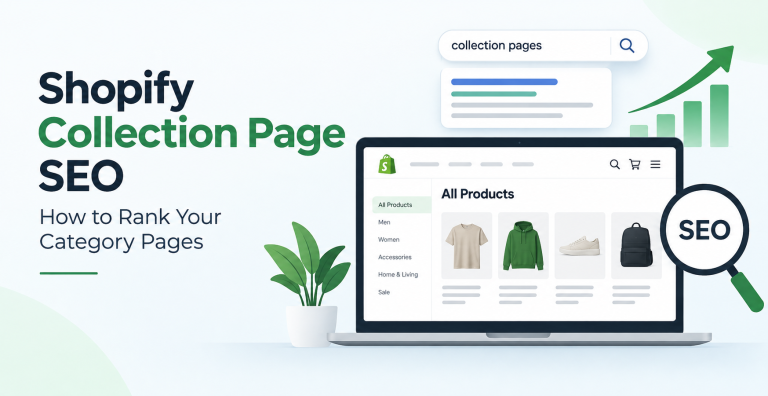
Collection pages are the quiet workhorses of a Shopify store. They target broad category searches like “women’s running shoes” or “organic dog treats”, the kind of keywords that carry far more search volume than any single product page. Yet most stores leave them as bare product grids with a default title and no description. This guide walks through Shopify collection page SEO from start to finish, so by the end you will know exactly what to change, why it matters, and how to fix the duplicate content problems Shopify creates on its own.
What Is a Shopify Collection Page (and Why It Decides Your SEO)
A collection page is the category page of a Shopify store. It groups related products under one URL, usually in the format yourstore.com/collections/collection-name. When a shopper searches for a product type rather than a specific brand or model, it is your collection page, not a product page, that Google wants to show.
This matters because category level keywords tend to have several times the search volume of individual product keywords, and they capture shoppers earlier in the buying journey. For most stores, collection pages bring in the largest share of organic traffic. If they are thin or unoptimized, you are leaving the bulk of your search opportunity on the table.
Collection Pages vs Product Pages: The Key Difference
Product pages and collection pages serve different searches, and treating them the same is a common mistake.
| Element | Collection page | Product page |
|---|---|---|
| Search intent | Browsing a category | Buying a specific item |
| Target keyword | “leather laptop bags” | “Tan leather 15 inch laptop bag” |
| Search volume | Higher (category level) | Lower (specific) |
| Content need | Intro copy, buying guidance, internal links | Specs, images, reviews, price |
The takeaway is simple. A collection page should read like a category landing page, not a filtered list of products with nothing else on it.
Step 1: Keyword Research for Collection Pages
Every collection needs one clear primary keyword and a handful of supporting terms.
Find the primary keyword. Pick the phrase a shopper would type to find that whole category, for example “merino wool socks”. Aim for a term with real monthly search volume and clear buying intent. Free tools like Google Keyword Planner, the autocomplete suggestions in Google, and the “People also search for” box will surface these quickly.
Add 3 to 5 supporting keywords. These are close variants and modifiers such as “mens merino wool socks”, “warm wool socks for winter”, or “cushioned wool socks”. You will weave them into the description and headings so the page ranks for a cluster of related searches, not just one phrase.
Give every collection its own keyword. Two collections should never chase the same term. If they do, they compete with each other in the search results and split your ranking strength, a problem known as keyword cannibalization.
Step 2: Optimize the Core On-Page Elements
These are the fields Google reads first. Shopify lets you edit all of them from the collection editor under the “Search engine listing” section.
Title Tag
Keep it under 60 characters so it does not get cut off in the results. Lead with the primary keyword, add a light commercial modifier, and finish with your brand. A clean pattern is: Merino Wool Socks | Free Shipping | BrandName. Write a unique title for every collection.
Meta Description
Write 150 to 160 characters that describe the category and give a reason to click, such as free returns, range size, or a price point. The meta description does not directly move rankings, but a compelling one lifts click through rate, and that traffic signal helps.
URL Handle and Breadcrumbs
Shopify builds the URL from the collection handle. Keep it short and readable with hyphenated words, for example /collections/merino-wool-socks. Avoid stuffing extra words in. If you change a handle on a live page, set up a redirect from the old URL so you do not lose its ranking. Add breadcrumb navigation (Home then Category then Collection) through your theme so both shoppers and search engines understand the site structure.
The H1 and On-Page Headings
The collection title usually becomes the H1. Make sure it contains the primary keyword and reads naturally. Use H2 and H3 subheadings inside your description to structure any buying guidance, and include supporting keywords in them where it fits.
Step 3: Write a Unique Collection Description (Placement Matters)
An empty collection page is a thin page, and thin pages struggle to rank. Adding a genuine, original description is one of the highest impact changes you can make.
How much to write. Aim for 300 to 500 words of unique copy per collection. Not filler, but useful content: what the category covers, how to choose between options, materials or sizing notes, and answers to common questions.
Where to place it. Put a short introduction of 2 to 3 sentences above the product grid so shoppers and Google see relevant text immediately. Place the longer, detailed content below the grid so it does not push products down the page. Many Shopify themes support this split, or you can add it with a simple metafield or a section in the theme editor.
Keep it original. Do not reuse the same paragraph across collections or copy manufacturer text. Duplicate descriptions dilute rankings and can look like low quality content to Google.
Step 4: Optimize Collection Images
Collection banners and product thumbnails affect both speed and image search visibility.
Compress every image before upload so large files do not slow the page. Use descriptive file names such as merino-wool-socks.jpg rather than IMG_4821.jpg. Add alt text that describes the image and, where natural, includes the collection keyword. Alt text helps image search and keeps the page accessible.
Step 5: Build Internal Links to and From Collections
Internal links pass authority and help Google understand which pages matter. Collection pages deserve plenty of them.
Link to your key collections from the main navigation menu, from the footer, from related collections, and from blog posts. Inside a collection description, link out to closely related collections using descriptive anchor text, for example linking “wool base layers” to that collection rather than “click here”. Strong internal linking is a core part of any on-page optimization effort and it is completely within your control.
Step 6: Fix Shopify’s Built-in Duplicate Content Problems
This is the step most store owners miss, and it is where a lot of collection ranking strength quietly leaks away. Shopify generates extra URLs on its own that can compete with your clean collection page.
Product URLs in Multiple Collections
By default, the same product can be reached through several collection paths, which creates duplicate product URLs. Shopify handles most of this with a canonical tag that points to the primary product URL, but it is worth confirming your theme outputs the canonical tag correctly on both product and collection templates.
Pagination and the page Parameter
When a collection spans several pages, Shopify creates URLs like /collections/socks?page=2. These pages show different products but often share the same title and description as page one, which confuses search engines about which URL represents the category. The common fix is to make sure every paginated URL keeps a self referencing setup that still points ranking signals to the main collection, which most themes handle through their canonical logic. Review your theme, and if pagination URLs are being indexed as duplicates, adjust the canonical output or use a reputable SEO app to correct it.
Filter, Tag, and Sort URLs
Storefront filters, product tags, and sort options each add parameters to the URL, such as ?sort_by=price-ascending or a tag path. Every one of these can become a near duplicate of the main collection. Decide which filtered views, if any, you actually want indexed. For the rest, keep the canonical pointing to the clean collection URL so Google consolidates the ranking signals onto one page instead of scattering them across dozens of parameter URLs.
Step 7: Add the Right Schema Markup
Structured data helps Google understand your page and can earn richer results. On a collection page, use CollectionPage schema and BreadcrumbList schema to describe the category and its place in the site. If you add a short frequently asked questions block to the page, mark it up with FAQ schema so those questions can appear in the results. Do not put Product schema on a collection page, since that markup belongs on individual product pages. Many Shopify SEO apps add this markup for you, or a developer can insert it into the collection template.
Step 8: Improve Collection Page Speed
Page speed is a ranking factor and a conversion factor. Collection pages are often the heaviest on a store because they load many product images at once.
Lazy load images below the fold so they load as the shopper scrolls, limit the number of products shown per page to a sensible number, remove apps and scripts you no longer use, and choose a lightweight, well coded theme. Test each key collection in Google PageSpeed Insights and watch the Core Web Vitals scores, which measure loading, interactivity, and visual stability. This is squarely a technical SEO task and it pays off across the whole store.
Common Shopify Collection SEO Mistakes to Avoid
Even careful stores trip over the same issues. Watch for these:
- Empty or default descriptions. A collection with no unique copy is a thin page.
- Duplicate titles and descriptions. Reusing the same meta text across collections weakens all of them.
- Two collections targeting one keyword. They cannibalize each other in the results.
- Ignoring pagination and filter URLs. Unmanaged parameter URLs split your ranking strength.
- Deleting collections without redirects. A removed collection with no redirect becomes a dead 404 that loses its rankings and backlinks.
- Blocking collections by accident. Check that important collections are not set to noindex or hidden from your sitemap.
Your Shopify Collection Page SEO Checklist
Run every important collection through this list:
- One primary keyword plus 3 to 5 supporting keywords assigned
- Unique title tag under 60 characters, keyword first
- Unique meta description of 150 to 160 characters with a reason to click
- Clean, hyphenated URL handle
- Breadcrumb navigation enabled
- Original description of 300 to 500 words, split above and below the grid
- Compressed images with descriptive file names and alt text
- Internal links from the menu, footer, related collections, and blog posts
- Canonical tags handling pagination, filters, and duplicate product paths
- CollectionPage, BreadcrumbList, and FAQ schema in place
- Fast load time with healthy Core Web Vitals
- Redirects set for any changed or removed collection URLs
Frequently Asked Questions
What is Shopify collection page SEO?
Shopify collection page SEO is the process of optimizing your category pages, the ones at /collections/, so they rank for broad category keywords. It covers keyword targeting, title tags and meta descriptions, unique on-page content, internal links, schema markup, page speed, and fixing the duplicate URLs Shopify creates through pagination and filters.
Do collection pages rank better than product pages?
For category level searches, yes. Collection pages target broader keywords that usually have higher search volume than specific product terms, so they tend to bring in more organic traffic. Product pages still matter for shoppers searching for a specific item, so a healthy store optimizes both.
How much content should a Shopify collection page have?
Aim for 300 to 500 words of unique, useful copy per collection. Place a short introduction above the product grid and the longer detail below it, so the page reads like a category landing page rather than a bare list of products.
Why do my Shopify collection pages have duplicate content?
Shopify automatically generates extra URLs from pagination, product tags, storefront filters, and sort options. Each of these can be a near copy of your main collection page. Managing your canonical tags so these variations point back to the clean collection URL is what stops the duplication from splitting your rankings.
Do I need an app for Shopify collection SEO?
Not for the basics. Titles, descriptions, URLs, content, images, and internal links can all be handled from within Shopify. An SEO app or a developer helps with the technical layer, such as bulk schema markup and canonical fixes for pagination and filters, if your theme does not handle those cleanly.
How long does it take to see results?
Most stores see collection pages start to move over 3 to 6 months, depending on competition, domain strength, and how thin the pages were to begin with. Newly optimized pages with fresh content and good internal links usually show the earliest gains.
Collection pages reward the work you put into them. Give each one a clear keyword, real content, clean technical signals, and strong internal links, and they will steadily climb for the category searches that drive the most revenue. If you would rather have it handled end to end, our Shopify SEO services and broader ecommerce SEO team can audit and optimize every collection for you.