WordPress powers a huge share of the web because it is flexible, search engine friendly, and easy to manage. But a WordPress site can still perform poorly if it is weighed down by a slow host, too many low quality plugins, and bloated code. That is why optimization matters. No matter how attractive or informative your site is, a slow website loses visitors and rankings.
Site speed is one of the biggest factors in both user experience and search performance. If your pages load slowly, visitors leave and search engines take notice. The good news is that you can dramatically improve performance with a few practical steps. Here are twelve essential tips to optimize your WordPress site, whether you manage it yourself or rely on professional WordPress development support.
1) Choose a Fast, Lightweight Theme
Your theme sets the foundation for speed. A theme packed with heavy scripts and features you will never use only slows things down. Choose a lightweight, well built theme with clean code and a good balance of content and images. Popular lightweight options load quickly and are easy to customize without the bloat.
2) Select a Reliable Web Host
Never sacrifice performance for the cheapest plan. Low cost shared hosting often struggles under load and slows your site down. Invest in a reputable host, and consider managed WordPress hosting, which is tuned specifically for speed, security, and reliability. Your host has a direct impact on every visitor’s experience.
3) Use a Content Delivery Network
A Content Delivery Network, or CDN, stores copies of your static files like images, CSS, and scripts on servers around the world, then serves them from the location closest to each visitor. This reduces the load on your main server and speeds up delivery. Cloudflare is a popular and reliable choice that many sites use for free.
4) Optimize Your Database
Over time your database fills with spam comments, auto saved drafts, and leftover data that slow things down. Cleaning it up improves performance, and plugins like WP Optimize make the process simple and safe. A lean database means faster responses and a smoother site.
5) Install Only the Plugins You Need
Every plugin adds code, and too many can drag your site down. Keep only the plugins you truly need, remove anything unused, and make sure the ones you keep are well maintained and up to date. Tools like Query Monitor help you spot plugins that are hurting your loading time.
6) Disable Pingbacks and Trackbacks
Pingbacks and trackbacks are old methods of communication between blogs, and they create unnecessary requests that consume server resources. In most cases they add little value and invite spam. Disabling them in your settings is a simple way to lighten the load on your site.
7) Use a Caching Plugin
Caching is one of the most effective speed improvements you can make. A caching plugin serves static versions of your pages instead of building them fresh every time, which cuts server work and speeds up load times. Reliable options include WP Rocket, W3 Total Cache, and LiteSpeed Cache.
8) Compress and Optimize Images
Large images are one of the most common causes of slow WordPress sites. Compress images before uploading, set sensible dimensions, and serve them in modern formats like WebP. Plugins such as Smush or ShortPixel automatically optimize your images without noticeably reducing quality, which greatly improves loading speed.
9) Enable Compression
Smaller files load faster. Enabling Gzip or Brotli compression shrinks your files before they are sent to the browser, which speeds up delivery. Many caching plugins and quality hosts let you turn on compression with a single setting.
10) Limit Post Revisions
WordPress saves every revision of your posts and pages, and over time these pile up and bloat your database. Limiting the number of stored revisions keeps things tidy. You can set a limit with a simple line in your configuration file or with an optimization plugin.
11) Reduce Spam
Spam comments clutter your database and slow your site. Deleting them by hand is impractical, so use a trusted tool like Akismet to automatically filter spam. This saves time, keeps your comments clean, and frees up space that improves overall performance.
12) Minify CSS and JavaScript
Minifying removes unnecessary spaces and characters from your code, making files smaller and faster to load. Plugins like Autoptimize can minify and combine your CSS and JavaScript files automatically, reducing the number of requests your site has to make.
Why WordPress Optimization Matters for SEO
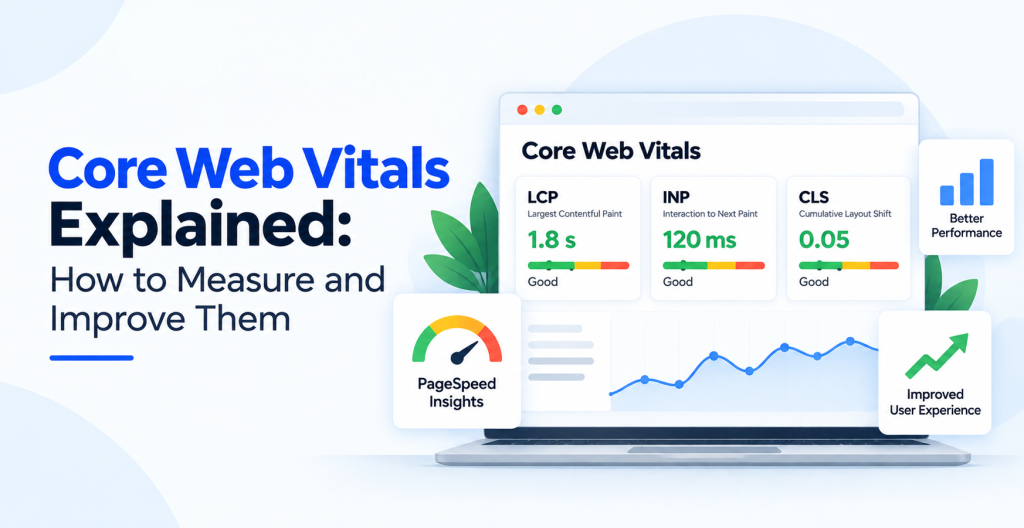
A faster website is not just better for visitors, it is better for rankings. Search engines reward fast, stable, mobile friendly sites through metrics like Core Web Vitals. Combining these speed improvements with strong technical SEO gives your site the best chance to rank well and convert more visitors.
Frequently Asked Questions
Why is my WordPress site so slow?
Common causes include cheap hosting, a heavy theme, too many plugins, large unoptimized images, and no caching. Addressing these usually delivers a big speed improvement.
Do I need a caching plugin?
Yes. Caching is one of the simplest and most effective ways to speed up WordPress, and most sites see a noticeable improvement after enabling it.
Does site speed really affect SEO?
Absolutely. Speed influences user experience and Core Web Vitals, both of which impact your search rankings and conversion rates.
Conclusion
Optimizing WordPress does not require advanced coding skills. Anyone familiar with the platform can apply these steps to build a faster, more reliable site. A quicker website keeps visitors engaged, ranks better, and drives more traffic and sales.
If you want experts to optimize and manage your site for peak performance, Optmistic Technologies offers professional WordPress development services built for speed and results. Request a free quote and give your website the performance it deserves.